
AI Automation Website Design
What you sell can't be photographed. Potential clients can imagine machines and rooms, but have difficulty imagining the workflow that runs automatically in the background. Your website's task is practically one: making that invisible work visible on the screen.
What usually holds AI automation businesses back
The first problem arises after the meeting is over. The potential client nods throughout the meeting, then is asked to explain it again to their superior and stops at the second sentence. Automation is difficult to describe in general terms, because what changes is the daily workflow, and that only makes sense when shown step by step. Examples that work are almost always in the same format: the situation before with who does what, how many steps, and how many times a day, then the situation after with which steps are eliminated and who still holds the decision.
The second obstacle comes from the market itself. AI automation service pages today are mostly filled with similar sentences, and readers who have opened five similar pages stop weighing the sentences and start looking for evidence. In such a situation, pages that mention their limitations are read until the end. The work you reject, the flow that you think is better is still held by someone, and the things that can fail along with the consequences if they fail are rarely written by anyone, and potential clients who have been disappointed by previous vendors look for exactly that part.
The third issue is about who reads it. Decisions in companies are rarely made by one person: those who feel the operational staff's troubles, those who sign above them who evaluate from cost and time, and between the two there are technical people who check where the company's data will flow. All three open the same page and look for different things. Pages that only contain case stories convince the first person and then stop at the second person, and pages that only contain prices never pass the third person.
What it can look like for AI automation businesses
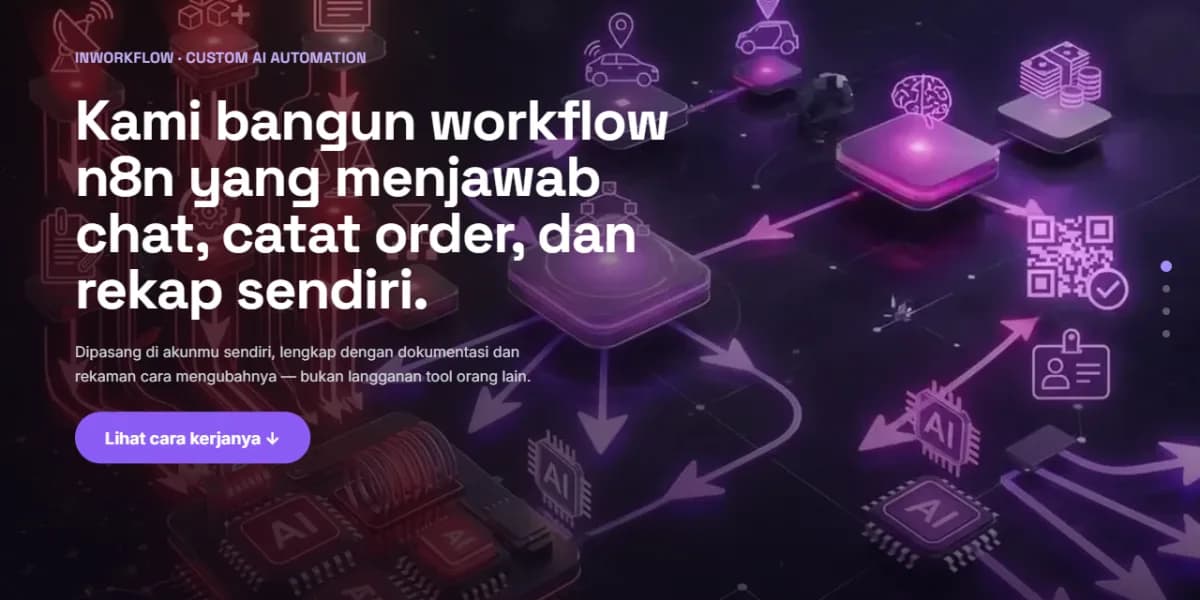
This InWorkflow demo was built by us as an example of its form, not a paid client website. The top part is a single canvas that locks the screen: a series of moving network images that follow the scroll and stop at three points, and at each point one text panel enters, stays long enough to be read, and then exits before the scroll continues. This arrangement is used because the three core sentences on the automation page are often overlooked, so visitors are held back for a moment at each one before the page releases them to the services, process, evidence, and contact sections. A form like this is included in the Business package.
What you get
For AI automation services, the content that potential clients usually look for includes:
- One page per case: the situation before, written step by step, what was changed, the situation after, and who still holds the decision within it
- Time saved, if you actually record it and the client allows the number to be mentioned, along with how it's measured
- A list of systems you usually connect to, written with their original names, because potential clients are looking for the names of tools they already use
- Technical details for the client's IT personnel: what data passes through, where it's stored and for how long, who has access, and what happens if the flow stops in the middle
- How you calculate costs: one-time setup, maintenance subscription, or both, along with what's included in maintenance
- Service limits: jobs you refuse, and flows that you think are better left to humans
- Work stages from initial mapping to handover, with estimated time and what the client needs to prepare at each stage
- Information on who owns the resulting flow, and what the client can take if the collaboration stops
What we don't recommend at the beginning: installing an agent that can be tried directly by visitors on the front page as a showcase of your abilities. Such a showcase needs to be maintained every day, adding to the cost per conversation that you can't control, and is easily misled by people who are just messing around. One incorrect answer in front of potential clients who are weighing their options is enough to cancel the assessment you've built throughout the page. A short screen recording that shows one flow running from start to finish is easier to maintain, and you can choose the part that explains the most.
Pricing for a AI automation website
If what you need now is one page that explains the service along with one or two case examples, the Starter package for Rp 1.500.000 is sufficient, already including a domain, hosting, and SSL for the first year, and it will be completed around 3 days after we receive your complete materials. In this field, the longest preparation is usually obtaining permission from the client to mention their case, so take care of that first before calculating the schedule.
The Business package, Rp 5.000.000 with a processing time of 1 to 2 weeks, is more suitable if each case needs its own page and you intend to write regularly about the workflow you do, because a blog with categories is already included, along with 3 initial articles. The comparison of its contents can be found on the package page.
Questions we often get from AI automation businesses
- We don't have a client that can be used as a case study yet.
Use your own workflow. Almost all automation studios run internal jobs that have been automated, from quotes, billing, to weekly reports. Write one of them in the same way as a client case, and openly state that this is an internal workflow. Potential clients do not mind as long as the origin is clear, and a detailed internal example is more convincing than a vague client case that cannot be mentioned.
- Do we have to mention the time savings numbers?
Mention if you actually recorded it before and after, state how you measured it and the time frame, and ensure the client allows it. If there's no record, write what you can be accountable for: how many steps are missing from the flow, how many applications no longer need to be opened, and how many times a day the job was previously done. Made-up percentages are easily recognizable to readers in this field, and once detected, the entire page content is doubted.
- Do we need to write the price, even though each job is different?
Write the smallest project size you accept, or a range for the most common type of work. Without it, most of your first meetings will be spent finding out that the budget doesn't actually meet. If the numbers are really impossible to write, at least explain what makes the cost increase: the number of systems connected, the number of exceptions in the flow, and whether there are parts that need to be built from scratch.
- The IT person of potential clients always asks about data security. Should we put it on the website?
It's recommended, yes, on a separate page that you can send a link to. The content should include: what data is touched by the workflow, through which services the journey passes, where it is stored and for how long, who on your team has access, how access is revoked when someone leaves, and what happens if the workflow fails in the middle. A page like this is rarely read by operational staff and is almost always opened by people who have the right to reject your project.
- Do we need to mention the tools we use or is it better to hide them?
Say. Potential technical clients look for the name of the tool to assess whether they can maintain the job themselves later, and the page that covers it triggers more unpleasant questions. Also, answer the follow-up questions on the same page: whose account the established workflow stands on, whether it can be exported or not, and what the client takes when the collaboration stops. Vendors who answer these questions first are more often chosen than those who wait to be asked.
Next step
Compare what each package includes side by side, or first read what to prepare before you order.
Related pages
Creative Agency Website Design
A creative agency website contains case studies along with their processes, team profiles, and how to start a collaboration. See the demo, starting from Rp 1.500.000.
Logistics Website Design
A logistics website contains a service area, types of fleets, claim terms, and contact channels for procurement. See the demo, starting from Rp 1.500.000.
Company Profile Website Design
Company profile website design: services, projects, legal details, and contact information that prospective clients can verify. See the demo, from Rp 1.500.000.
Online Store Website Design
Online store website design: a catalog with ordering over WhatsApp, or online checkout and payment. From Rp 5.000.000.